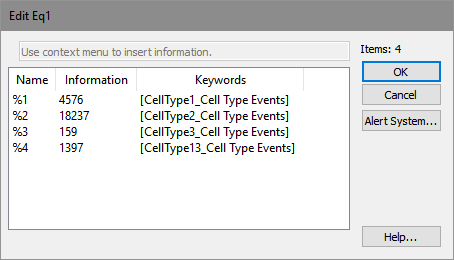
This dialog is used to edit the placeholders in an equation. Placeholders are the parts of the equation format that use the percent symbol (%) and a number. Each placeholder must be associated with a piece of information, which is used when the equation is evaluated.
To select the keyword for a placeholder, right click the Information field. A dialog of the available items in the information system will appear. Choose the category to expand the appropriate submenu, then select the specific item from the choices.
Each placeholder in an equation must be associated with an information field in this manner before the equation can be properly evaluated.
See also: